The AI that only talks to you.
With ChatGPT, every message goes to OpenAI’s servers. With DontKeep, it never leaves your iPhone: the AI runs on its chip, even in airplane mode. And when you close the app, the conversation is erased.
No account · No subscription · Works in airplane mode
How it works.
An online AI sends your messages to a server, which processes and keeps them. DontKeep puts the AI right inside your iPhone: there is no server to talk to. Turn off the internet and see for yourself.
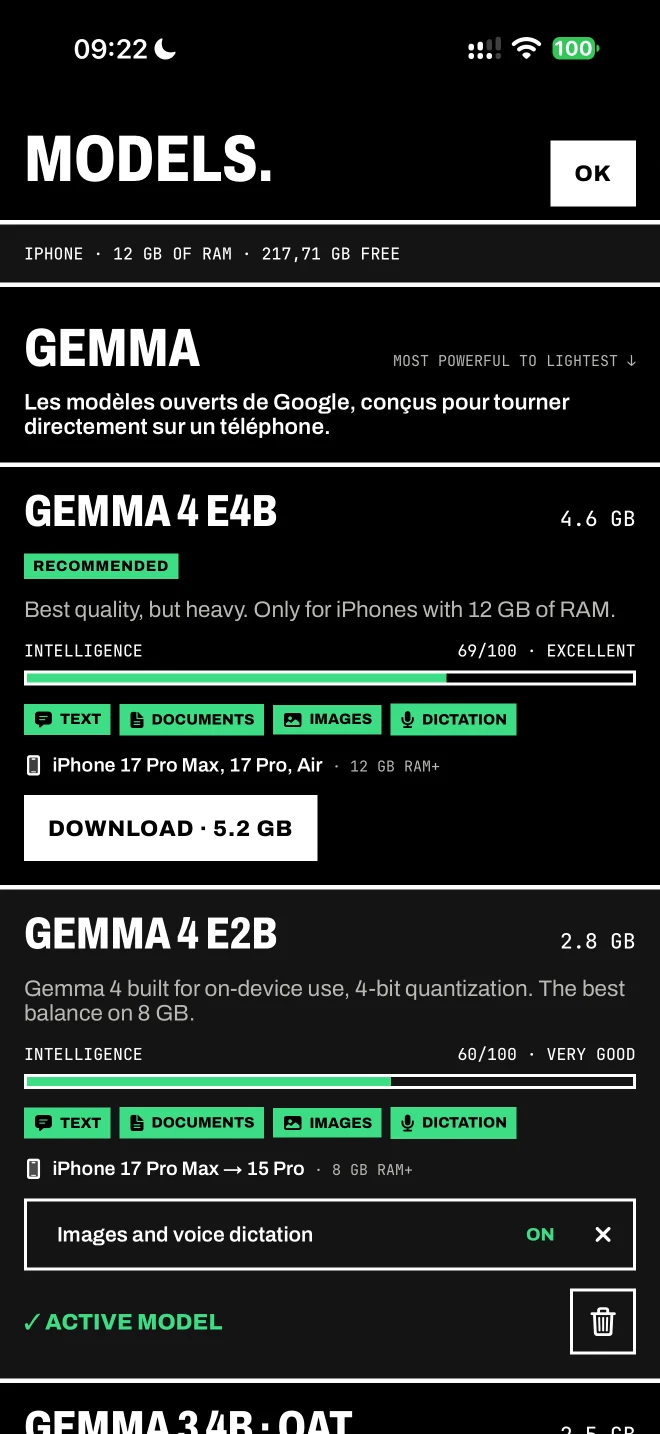
Pick a model that suits your iPhone. 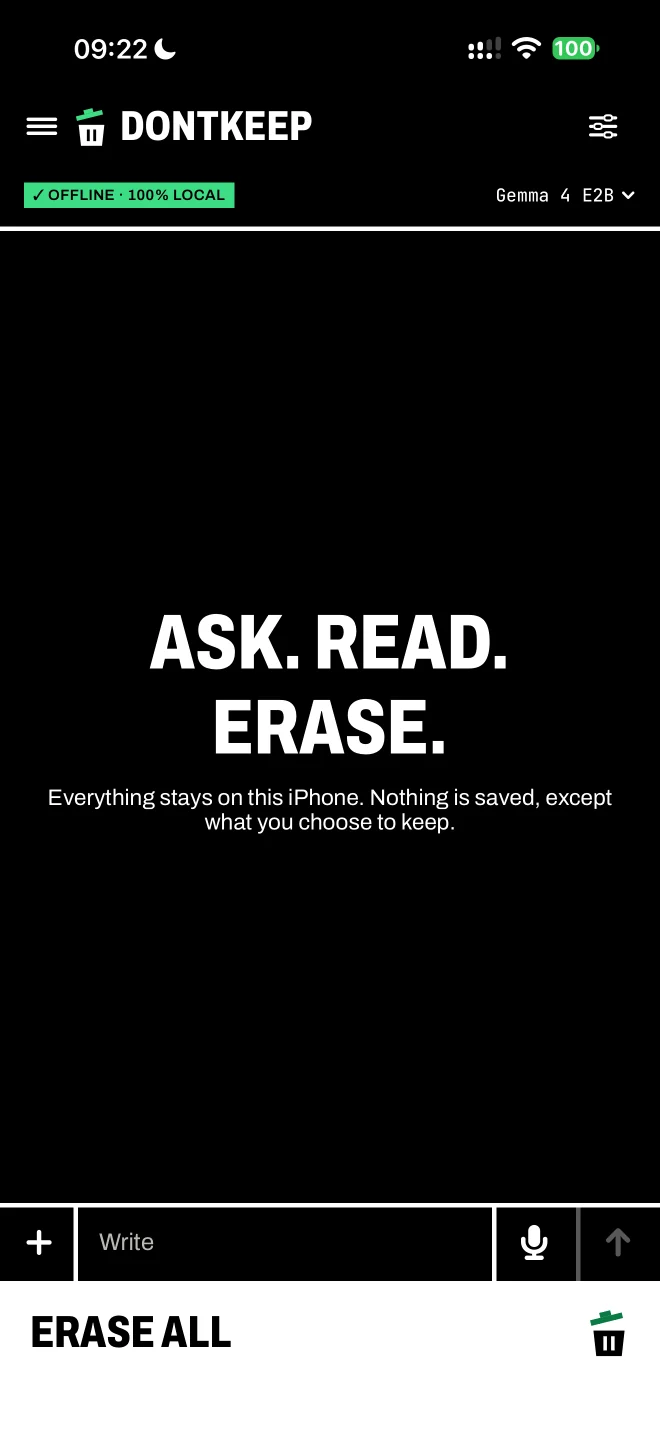
Write offline: the green badge confirms it. 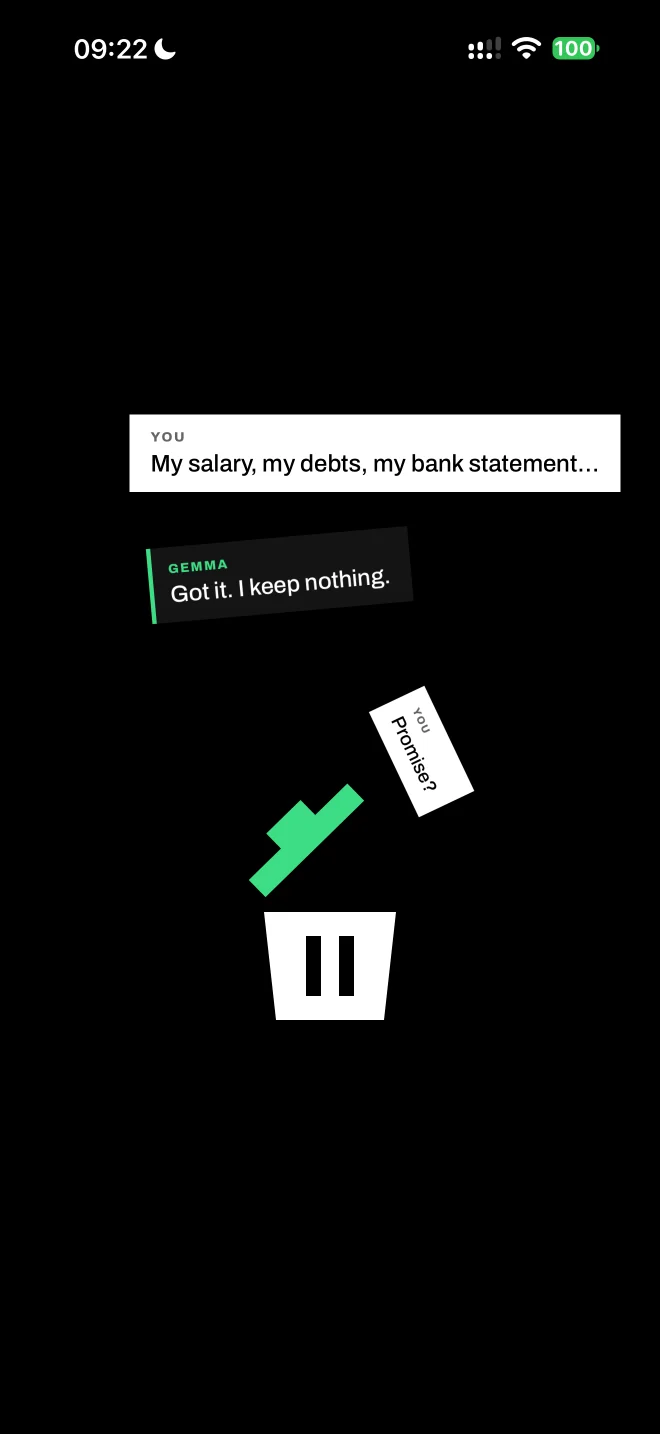
What you share ends up in the trash. 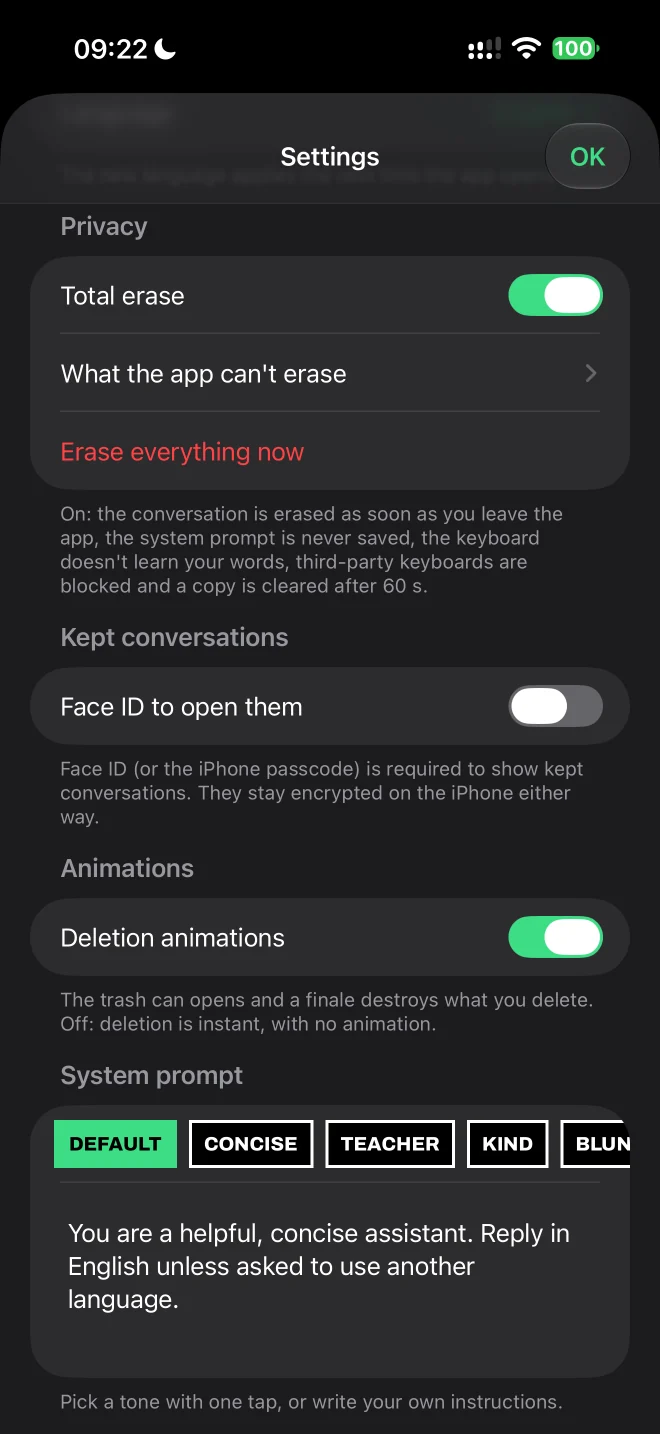
Total erase, Face ID, reply tone: you set it all.
Actual screenshots from the app
Pick a model.
Download a Gemma model suited to your iPhone, once. It’s the only time the app goes online.
Your messages stay on the iPhone.
All the computing happens on its chip. No server, not even ours: switch to airplane mode and everything keeps working.
Close the app, everything’s gone.
The conversation only exists in memory. Nothing is written to storage.
One tap.
Nothing left.
Tap “Erase all”: the conversation disappears from the screen and from the phone’s memory. Nothing is saved anywhere, so there’s nothing to recover.
Even without tapping: the conversation disappears as soon as you leave the app.
What stays on your iPhone.
We’d rather tell you exactly what gets recorded than promise you the impossible.
DontKeep never writes
- Your messages and the answers, unless you choose to keep a conversation
- An automatic conversation history
- A snapshot of the conversation in the app switcher (the screen is hidden)
- Usage statistics or an account
- Data sent to a server
iOS still records
- That the app is installed and was opened (Screen Time, battery)
- The amount of data used to download a model
- The downloaded models themselves
This information is managed by iOS itself. No app can prevent it.
How to reduce these traces
- Hide the app — long-press the icon, then “Hide and Require Face ID” (iOS 18 and later).
- Stop Siri from learning — Settings › Apps › DontKeep › Siri: turn off “Learn from this App” and suggestions.
- Remove the app from search — in the same menu, turn off “Show App in Search”.
- Reset cellular data — Settings › Cellular › Reset Statistics.
- Delete a model — from the app, when you no longer need it.
Choose your model.
Most powerful to lightest ↓- Gemma 4 E4B69/100 · ExcellentSize 4.6 GB12 GB RAM · iPhone 18 Pro Max, 18 Pro, 17 Pro Max, 17 Pro, Air
- Gemma 4 E4B · mobile≈ 69/100 · ExcellentSize 3.2 GB8 GB RAM · iPhone 18 Pro Max → 15 Pro
- Gemma 4 E2B60/100 · Very goodSize 2.8 GB8 GB RAM · iPhone 18 Pro Max → 15 Pro
- Gemma 3 4B · QAT44/100 · GoodSize 2.5 GB6 GB RAM · iPhone 18 Pro Max → 14, plus 13 Pro, 12 Pro
- Gemma 4 E2B · mobile≈ 60/100 · Very goodSize 2.2 GB6 GB RAM · iPhone 18 Pro Max → 14, plus 13 Pro, 12 Pro
- Gemma 3 1B15/100 · BasicSize 810 MB4 GB RAM · iPhone 18 Pro Max → XS
- Gemma 3 270MNot published · Very basicSize 290 MB3 GB RAM · iPhone 18 Pro Max → XR
→ The app detects your iPhone and recommends the best model.
Intelligence: MMLU-Pro score published by Google (university-level questions across 14 subjects). For reference, Gemma 3 27B, 7 times larger, scores 68. “≈” marks a compressed version, slightly less accurate.
Your meetings too, with no server.
Apple’s speech recognition transcribes the meeting live, on the iPhone’s chip. No audio file is created: only the text exists. At the end, the local model writes the summary, in a conversation that is erased like any other.
- The text appears as people speak, and you correct it before the summary
- No audio file: according to Apple’s documentation, your voice is not sent to its servers
- Several languages, and you can switch language mid-meeting without losing the text
- The summary is written on the iPhone, by the model you downloaded
Requires iOS 26 and an iPhone that supports Apple’s speech recognition. Before starting, the app reminds you to get the participants’ consent.
Guides.
How to run an LLM locally on your iPhone
Can you run ChatGPT-style AI offline on an iPhone? Which iPhone, which models, which apps and what limits to expect: a clear, sourced guide.
Read the guide →What AI apps really send about you
What ChatGPT, Gemini, Claude, Copilot, Meta AI and Vibe collect, how long they keep your chats, whether they train on them and how to opt out.
Read the guide →Which AI model is best for my iPhone?
Which on-device AI model fits your iPhone: RAM for every model, storage needed, Gemma 4 E2B vs E4B, 4-bit vs 2-bit. Clear tables and recommendations.
Read the guide →
Questions.
Is it really offline?
Yes, once the model is downloaded. The green “Offline · 100% local” indicator confirms it at all times in the app. In airplane mode, everything keeps working.
What happens when I close the app?
The conversation is erased from the phone’s memory. It was never written to storage, so there’s nothing to recover.
What if I want to keep a conversation?
It’s your call: tap “Keep”. The conversation is then encrypted on the iPhone, excluded from iCloud backups and, if you turn it on, only shown after Face ID (or the iPhone passcode). Without that, nothing is kept.
Can I hide the app?
Yes. Since iOS 18, long-press the icon and choose “Hide and Require Face ID”.
Are the answers as good as ChatGPT?
Not always. Local models are smaller: great for writing, summarizing and explaining, weaker on current events, which they don’t know about.
Which iPhones are compatible?
iOS 17 and later. Best results on iPhone 15 Pro and newer models.
Is the app paid?
No. The app, the models and the conversations are free, with no subscription and no ads. There is a single purchase, DontKeep Pro: it removes the 15-minute limit per meeting in meeting mode. It is a one-time purchase, tied to your Apple account.
Who makes the models?
Google, with the Gemma family of open models. They run on your iPhone thanks to llama.cpp, an open-source engine.
An AI like this one, for your company.
Want the benefits of an AI assistant without sharing your data? I build custom apps that run locally: nothing leaves your devices.
- Your documents and customer data are never sent to an AI provider
- On mobile or on the web, online or offline
- Tailored to your business: your documents, your vocabulary, your rules

Dibrilou Diagne
CTO of several sovereign-LLM projects: zero data shared